This is the archived documentation of the CAM-AI open-source software for self-hosted installations. It is provided as is and no longer actively maintained. Using CAM-AI in production? Talk to us at cam-ai.de.
docs / routers / fritzbox
FRITZ!Box: Port sharing and dynamic DNS
Screenshots from FRITZ!OS 7.50.
This tutorial was made using a FRITZ!Box running on OS version 7.50. Most of the functionalities will be analog on other OS versions, although they may look slightly different.
Port forwarding exposes your camera directly to the internet. Only forward ports if you need remote access, use a strong, unique camera password, and keep the camera firmware up to date.
From the main menu (left sidebar) you go to Internet –> Permit Access –> Add Device for Sharing. That will bring you here:
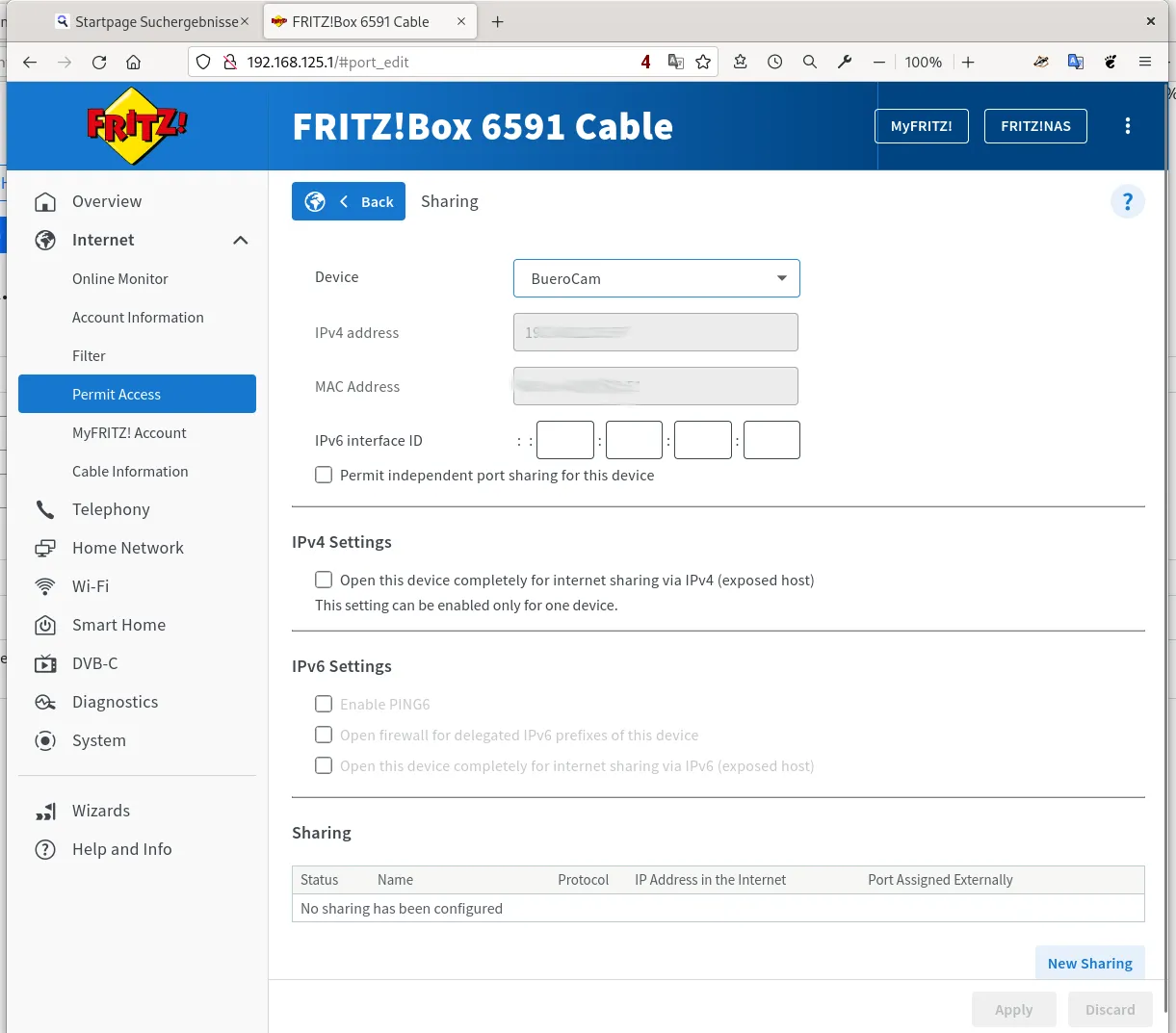
The only thing you need to do here is to select your camera device. Either by its name in the network or by the IP address you noted earlier. Then you click “New Sharing”:
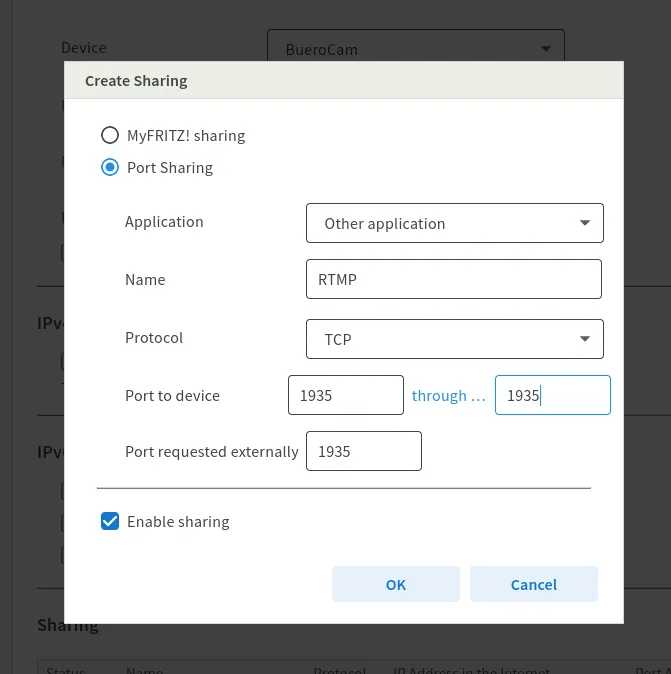
You fill out this form according to the image above and then click “OK”. That should be enough to establish the port sharing. In this example, we have connected a camera that works with the RTMP protocol (port 1935). In case you want to use a different protocol you need to use another port:
- RTMP: 1935
- HTTP: 80
- RTSP: 554
- HTTPS: 443
IMPORTANT: When connecting two or more cameras listening to one port, like e.g. 554, each camera must have its own unique external port.
For example: Camera1 external port = 554, Camera2 external port = 10544, Camera3 external port = 20544.
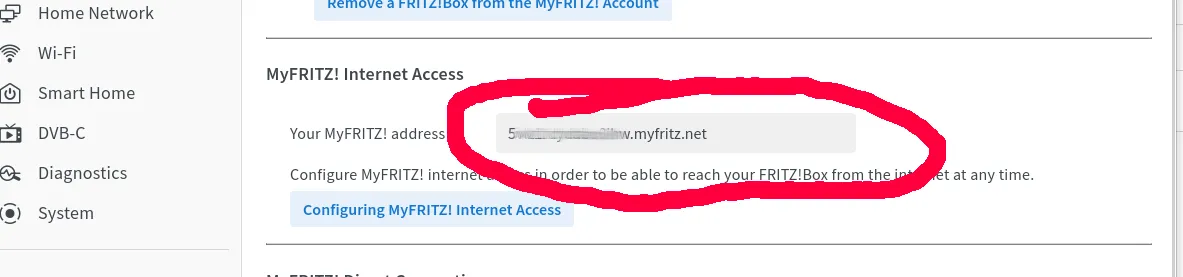
The last thing you need to do is to write down your dynamic DNS address. From the main menu, you go to Internet –> MyFritz!Account, In the center of the upcoming screen you will find it here:
If you don’t have a MyFRITZ! account yet, get one here. It’s easy!